Connecting Your Business Systems: A Practical Guide to API Integration
Published on August 21, 2026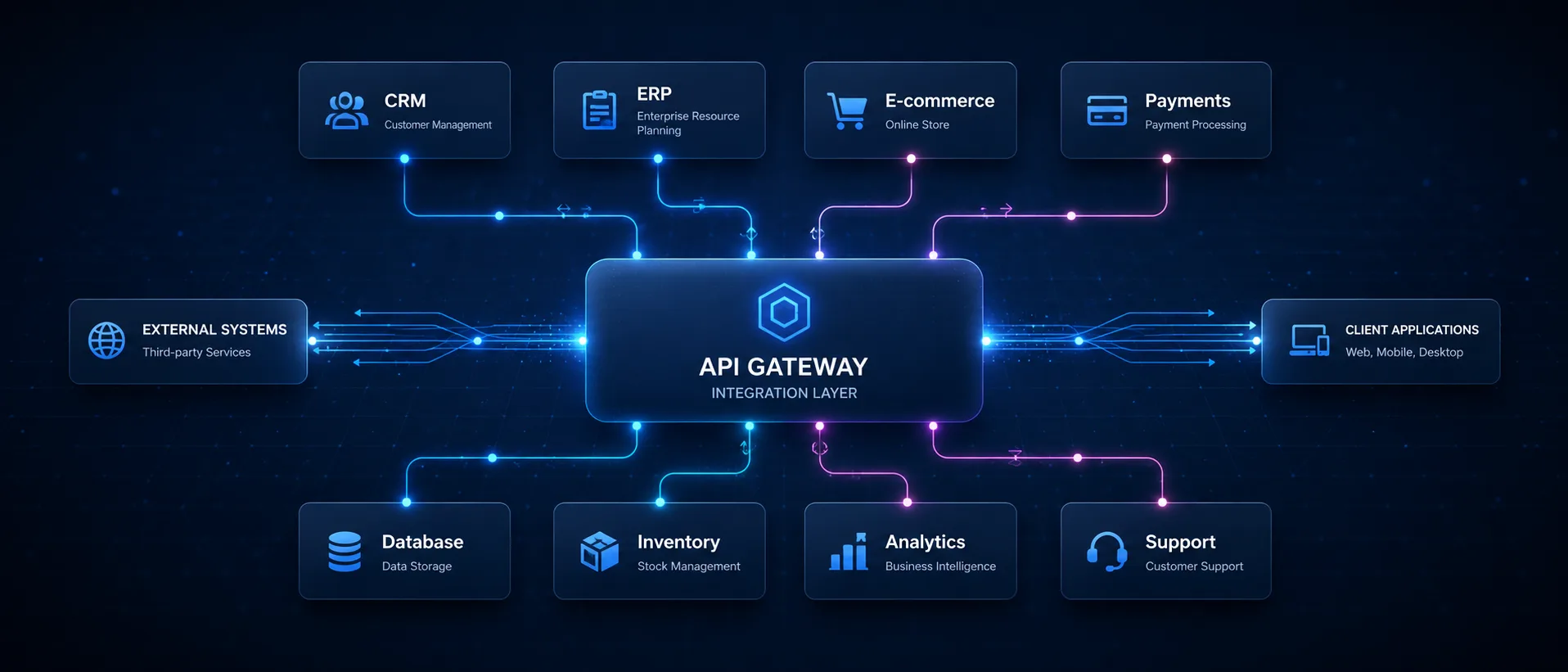
Somewhere in most businesses there is a person who spends part of every morning copying numbers out of one system and into another. An order total from the website into the accounting package. A new client from the enquiry inbox into the CRM. Stock figures from a supplier’s spreadsheet into wherever stock actually lives.
Nobody planned that job. It arrived because two systems were bought at different times to solve different problems, and nothing joined them up. And it will keep happening until somebody does.
That joining-up is what API integration means. Here is what it involves, when it is worth doing, and what it costs you to leave alone.
What an API actually is
Skip this if you already know.
An API is a way for one piece of software to ask another piece of software for something, without a person in the middle. It is not a file, a plugin or a product — it is a set of instructions the software’s makers publish saying if you ask us in this exact format, we will answer in that exact format.
Your accounting package has one. So does your CRM, your website, your email platform, your payment gateway and almost everything else you pay a monthly fee for. They exist precisely so that systems can be connected without anybody retyping anything.
An integration is a small piece of software that uses those APIs on your behalf. It asks the website for new orders, transforms them into the shape the accounting system expects, and hands them over — on a schedule, or the moment something happens.
What it actually costs you not to do this
The obvious cost is time, and it is usually underestimated because it is spread thin. Fifteen minutes here, half an hour there, across three people. Nobody experiences it as a task, so nobody adds it up.
The less obvious costs are the ones that matter more.
Errors that nobody catches
A person copying figures between systems will get one wrong eventually. Not through carelessness — because it is repetitive work that requires attention and provides no feedback when attention lapses.
What makes this expensive is the delay. A mistyped figure in an accounting system is found at month end, or at year end, or by an accountant asking why two systems disagree. By then the wrong number has been in three reports.
No single version of the truth
When the same information lives in two systems and a person keeps them aligned, neither system is authoritative. Every report needs a caveat. Every question about a figure becomes a question about which system it came from and when it was last updated.
Businesses in this position often think they need better reporting. Usually they need the data to agree first.
The person is the integration
This is the risk people notice last. If one person is holding two systems together by hand, that arrangement stops when they are on leave, and it ends when they resign.
Nothing is documented, because it was never a process — it was somebody being helpful.
What can actually be connected
In practice, the requests that come up most often are unglamorous and worth doing.
- Website enquiries into a CRM, so leads stop living in an inbox
- Orders into accounting, so invoicing stops being a manual exercise
- Payment gateway into your books, so reconciliation is automatic rather than a monthly ordeal
- Stock between a supplier and your store, so you stop selling things you do not have
- Calendar and CRM, so a booked meeting appears where the client record is
- Anything into a dashboard, so the reporting draws from the systems rather than from an export
None of these is technically ambitious. They are all somebody’s Tuesday morning, removed.
How to tell whether it is worth it
The arithmetic is simple enough to do in your head.
How long does the manual process take each month, and what does that time cost? An hour a week at a modest hourly rate is a meaningful annual figure, and most integrations are a once-off cost.
Then two things that matter more than the arithmetic:
How expensive is an error? If a wrong figure means a mildly awkward correction, the time saving is the whole case. If it means invoicing a client incorrectly, or promising stock you cannot ship, the error cost dominates and the integration pays for itself the first time it prevents one.
How stable is the process? Automating something that changes every quarter is expensive, because the automation changes with it. Automating something that has worked the same way for two years is straightforward.
What if a system has no API?
It happens, particularly with older software and with systems built for a single industry. It is a constraint rather than a dead end, and there are three usual routes.
File-based exchange. One system exports a file on a schedule, the other imports it. Less elegant than an API and perfectly reliable when both ends behave. This is how a great deal of business data has moved for thirty years.
A middleware layer. Something sitting between the two systems, holding the data and translating. Useful where several systems need to talk and none of them agrees on a format.
Controlled scraping. Reading the information out of a system’s own interface, as a person would. It is the least robust option because it breaks when the interface changes, and it should be a last resort — but it is sometimes the only one.
Any of these is better than a person doing it, provided the trade-offs are explained rather than glossed over.
The part most integration projects skip
An integration that works on the day it is built is not the same as one that works in eight months.
The dangerous failure is not the loud one. If an integration crashes, somebody notices. The expensive version is the one that quietly stops syncing — a platform changes its API, a credential expires, a rate limit is hit — while every report continues to look entirely plausible.
That is why any integration worth paying for includes error alerting. Something that tells a person when it stopped, rather than waiting to be discovered at month end when the numbers do not add up.
It is also why the documentation matters. An integration nobody can explain is one nobody can fix, which means the next problem becomes a rebuild.
What a sensible integration project looks like
Six steps, in order, and the first two are where the value is.
- Map the process. Every data point, every trigger, every transformation — and every exception nobody has written down.
- Assess the APIs. What each system actually allows, how it authenticates, what its limits are, and how good the documentation is. Skipping this is why integration projects overrun.
- Build it. The connection, the transformation logic, and the handling for when the input is wrong.
- Test with real data. Including the edge cases, because those are what break integrations in month three.
- Add monitoring. Logging and alerting, so a failure reaches a person.
- Document it. So it can be maintained or extended by somebody who was not there.
Anybody quoting a fixed price before step two has not looked at the APIs. Two systems that both claim to integrate with everything can still be awkward to join, and that only becomes apparent when somebody reads the documentation properly.
Where to start
You do not need to connect everything. Pick the one process that annoys people most, and find out what joining those two systems would take.
Most businesses that do this once do it again, because the first integration removes a job nobody wanted and the second becomes obvious.
If you would like somebody to look at what your systems can and cannot do, that is what our API and systems integration service is for — we assess the APIs before quoting, so the price is based on what is actually there rather than on what a vendor’s marketing page implies.
And if the process you are thinking about is repetitive but does not really need two systems talking to each other, business process automation is often the cheaper answer. Worth knowing which one you are looking at before paying for either.